Your website may look exactly the way it did yesterday. The homepage loads, your contact form appears to be working, and nothing seems particularly unusual. But behind the scenes, an important security update may be needed.
On October 21, 2026, the PHP development team released emergency updates addressing two critical security vulnerabilities. Because WordPress relies on PHP to operate, this announcement matters to WordPress website owners, even those who have never heard of PHP before.
The vulnerabilities could, under certain conditions, allow an unauthorized person to execute code on a vulnerable server. That does not mean every WordPress website has been compromised. It does mean website owners should confirm that the necessary security updates have been applied.
What Is PHP, and Why Does This Affect WordPress?
PHP is one of the programming languages working behind your website. It helps WordPress process requests, retrieve information, and generate the pages visitors see.
Most business owners never interact with PHP directly. Their hosting company typically manages it, which is why important changes can happen without anything looking different on the website itself.
The October 21 security release addresses vulnerabilities within PHP rather than a particular WordPress plugin or theme. Updating WordPress alone will not install these fixes. The PHP software running on the server must also be updated.
Which PHP Versions Received Security Updates?
The PHP development team released the following patched versions on October 21, 2026:
- PHP 8.2.35
- PHP 8.3.36
- PHP 8.4.27
- PHP 8.5.12
An important distinction is that simply running PHP 8.3 or 8.4 does not necessarily mean your website has received this security update. The specific patch version matters.
Websites running PHP 8.1 or earlier deserve particular attention. Those older versions no longer receive regular security releases from the PHP project. Some hosting providers offer additional security support or specially patched packages, but those arrangements need to be verified with the provider.
The PHP Foundation’s October 21 announcement explains the vulnerabilities and why the updates are necessary.
How Can You Check Your Website’s PHP Version?
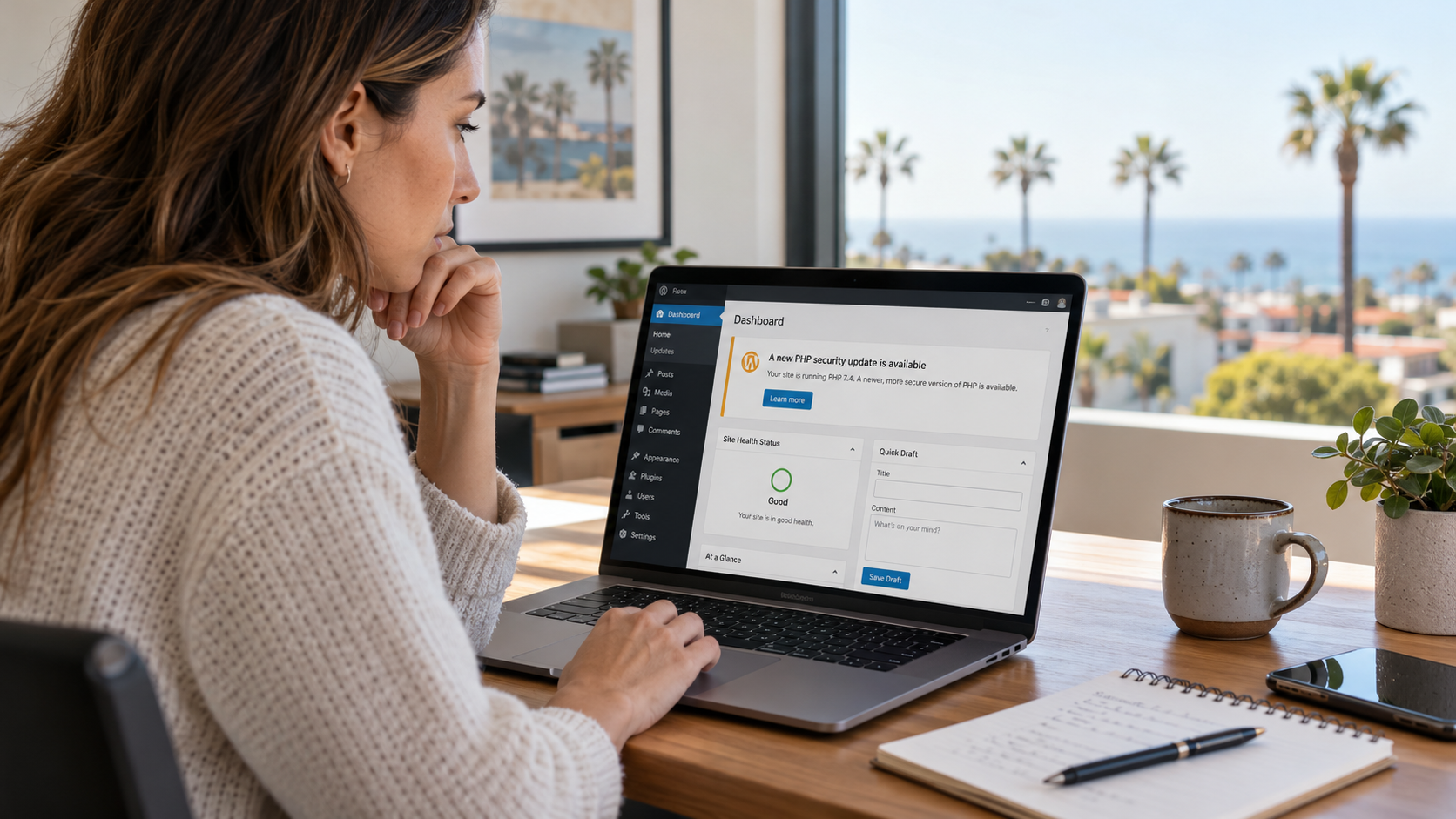
If you can access your WordPress dashboard, there is a relatively simple way to identify the PHP version your website is using.
Navigate to Tools → Site Health → Info → Server. Look for the field labeled PHP version.
This tells you which PHP version WordPress reports, but it may not tell you whether your hosting provider has installed a special security patch supplied through its own server software packages.
If you are uncertain, contact your hosting provider and ask whether your website’s PHP environment has received the October 21, 2026 security fixes. A knowledgeable hosting provider should be able to confirm the status of its servers.
Why Updating PHP Requires Some Care
Security updates are important, but changing PHP versions is not always as straightforward as pressing an update button.
Older WordPress plugins, themes, and custom website features may have been developed for earlier PHP versions. Moving a website from an outdated version to a newer one can sometimes reveal compatibility problems that were not apparent before.
A website might continue loading while a particular feature stops working. Contact forms, administrative tools, or other functions may behave differently after a major version change.
That is why a careful upgrade process includes verified backups, compatibility checks, and testing on a staging website when possible. These precautions should be coordinated promptly rather than used as a reason to leave critical vulnerabilities unaddressed.
What We Would Check First
When reviewing a website affected by a security announcement like this, the first priority is understanding its current environment rather than immediately changing settings.
- PHP version: Identify the installed version and confirm whether the appropriate security fix has been applied.
- Hosting responsibility: Determine whether the hosting provider or server administrator manages PHP updates.
- Compatibility: Review whether the website’s theme, plugins, and custom functionality can support a newer PHP version.
- Backups and testing: Confirm that reliable backups exist and important website functions can be checked after the update.
A security plugin or firewall can provide valuable protection, but neither should be treated as a complete substitute for fixing vulnerable PHP software. The PHP project’s official security announcement emphasizes that updating is the only complete solution to these vulnerabilities.
What If Your Hosting Company Hasn’t Updated PHP Yet?
Some hosting providers apply PHP security patches automatically. Others require an administrator to select a newer version, install updated server packages, or request assistance.
If your website is still using an unpatched version, ask your hosting provider what corrective action is available and when it can be completed. For websites running older, unsupported PHP versions, that conversation may also involve planning a move to a currently supported release.
For a small business in Orange County, managing PHP updates probably isn’t something that appears on the daily schedule. The website is simply expected to work. But occasional security announcements like this are reminders that even a quiet, functioning website depends on software that needs ongoing attention.
A Working Website Isn’t Always an Updated Website
One of the more confusing aspects of website security is that serious vulnerabilities do not necessarily produce visible symptoms. A website can appear completely normal while running outdated software.
The October 2026 PHP security release is worth taking seriously, but there is no reason to assume your website has already been compromised simply because you received a warning. Start by identifying your PHP version, confirming the patch status with your hosting provider, and making sure any necessary changes are handled carefully.
At Imagine Monkey, we help Orange County businesses navigate website updates, technical problems, and ongoing WordPress care. Whether you need help understanding a hosting notice or planning a safe website upgrade, you can learn more about our web design services, explore our website care packages, or contact us to discuss your website.